NFC Visiting Cards for Trade Show and Exhibition Teams
By Wholesale Visiting Cards Editorial Team | Published | Updated
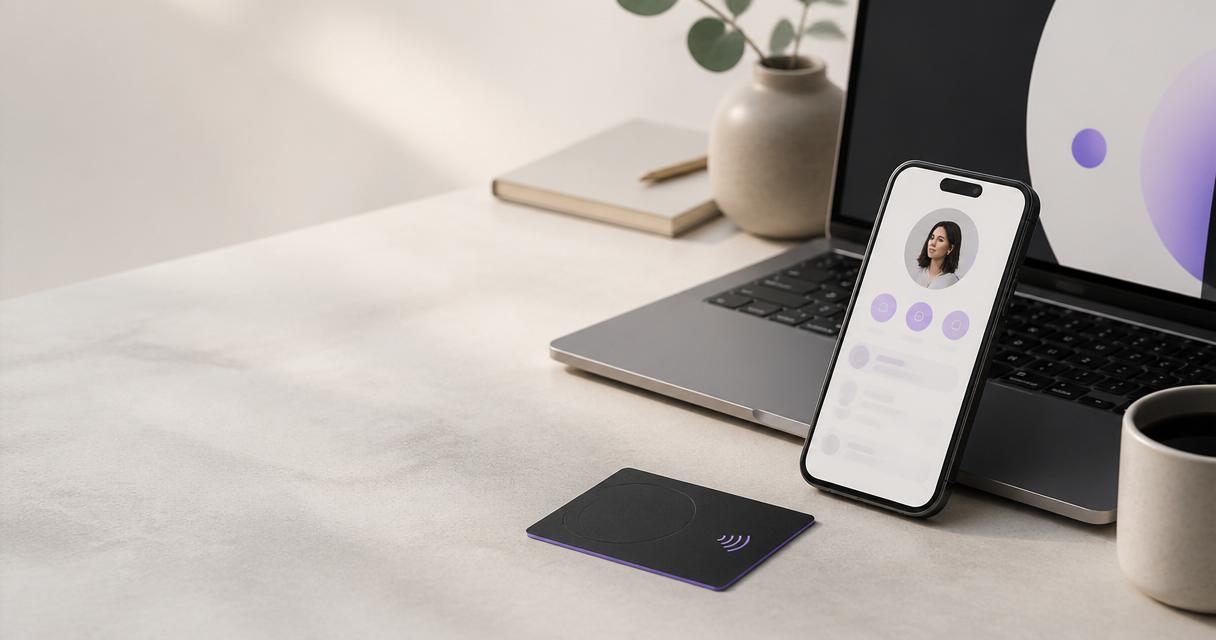
Trade shows and exhibitions are where many teams hand out the most contact details in the shortest time. They are also where card problems show up fastest: a new rep without cards, a booth crew that never got any, or a stand team that comes home with a pile of paper cards to type up. This guide covers how to plan NFC visiting cards for an exhibition team: working back from the show date, temporary staff and booth crew, pointing profiles at a show page and back again, wristbands for crew, and the follow-up afterwards. It is one of the guides behind our procurement checklist for ordering visiting cards in bulk.
Work back from the show date
Every task in this guide hangs off one fixed date. The production and delivery timeline for your order is confirmed on the quote, before you pay, so the first job is to get a quote early enough to leave room for proofs and testing.
| Weeks before the show | Task |
|---|---|
| As early as possible | Confirm who is on the stand, send the bulk quote request with the show date as the deadline |
| Once the quote confirms the timeline | Approve the quote, send the names list and artwork, order wristbands for crew if needed |
| After the proof arrives | Approve the proof with one named person |
| While cards are in production | Set up every profile and add the show page link |
| When cards arrive | Test each card on an iPhone and an Android phone, brief the stand team |
| Show week | Hand out cards and wristbands, cheque profiles each morning |
| The week after | Remove the show link, follow up leads, record what to change next time |
The table does not give fixed numbers of weeks, because lead times depend on your order. Use the timeline on your quote and fill in real dates.
If your company has never rolled out NFC cards, our 30-day plan for rolling out smart visiting cards to a team shows the full sequence. For a show, the same steps apply in a shorter, fixed window.
Put the deadline in the quote request as the date the cards must arrive, not the show date itself. That leaves time to test cards and brief the team before the stand opens.
Stand staff, temporary staff and booth crew
Exhibition teams are rarely just your permanent staff. Plan for three groups:
- Permanent stand staff. Sales and account managers who already have cards. They use the card they carry. No extra cards are needed for the show. Our guide to NFC visiting cards for sales teams covers how their profiles are set up for the rest of the year.
- Temporary staff. Contractors or agency staff working the stand for a few days. If they need to share their own details, give them a card and a profile like anyone else. If they only need to send visitors to the company, point their card at a team profile.
- Booth crew. People who set up the stand, scan badges or run demonstrations. A visiting card is often the wrong item for them.
For temporary staff, follow the same details form you use for new starters. Our guide to adding visiting cards to employee onboarding explains the form and the approvals.
Pointing profiles at a show page, and back again
During the show, many teams want every tap to lead to the same place: a show landing page, a product brochure or a demo booking form. With NFC cards, the card stays the same and the profile changes.
- Add the show link to each profile. Put the landing page or brochure link on every stand member's profile.
- Move it to the top. The Brand Presence plan includes visibility and order controls, so the show link can sit first while the event runs.
- Share documents. Profiles can carry documents such as a brochure, which saves printing a stack for the stand.
- Remove it afterwards. The week after the show, take the link down or move it back, so profiles do not point at an event that has finished.
Write down who adds the link and who removes it. A show page left on profiles for months makes the company look out of date.
Wristbands for crew
NFC wristbands suit people who need their hands free and cannot carry a card around a stand. On the main store, in US dollars, the wristband is $29.99 for the Simple version, $39.99 for Simple (Large Dial) and $49.99 for Designed. A wristband opens a link with a tap, in the same way as a card.Point crew wristbands at the show page or the company profile. Wristbands can be reprogrammed to a new link later by contacting our support team, so the same wristbands can be used at the next event.
Brief the stand team
A short briefing the day before the show avoids most stand problems. Cover:
- How to share: hold the card near the top of the visitor's phone, or let them scan the QR code.
- What the visitor sees: the profile with the show link at the top.
- What to do if a phone does not respond to a tap: use the QR code with the camera.
- Who reviews leads each evening, and how.
- Who to tell if a card or wristband is lost during the show.
Do a live demonstration with two phones, one iPhone and one Android. People who have tried it once on the stand are far more likely to use the card with visitors.
Collecting leads on the stand
The fastest follow-up starts on the stand. Two features help here:
- Contact leads. The Business Add-ons plan includes contact lead capture and forms, so a visitor who opens a profile can leave their details.
- Card scanner. The Business Add-ons plan also includes a visiting card scanner, for the paper cards visitors still hand over.
Decide before the show who reviews the leads each evening. Leads that sit untouched until the team is back in the office cool quickly.
Follow-up after the show
- Remove or move the show link on every profile.
- Export or share the leads with the sales owner. The Business Add-ons plan includes data export.
- Point crew wristbands back at the company profile, or store them for the next event.
- Collect any temporary staff cards and update their profiles.
- Record what worked: how many people were on the stand, which products were needed, and what arrived late.
That record becomes the brief for the next show.
Common mistakes at shows
- Ordering too late. The timeline on the quote leaves no room, and new staff arrive without cards.
- No show link. Visitors tap a card and land on a profile that says nothing about the event.
- Show link left on for months. Profiles keep pointing at an event that is over.
- Crew with no way to share. Badge scanners and demo staff get asked for details and have nothing to hand over.
- Leads reviewed a week later. The visitor has already spoken to three other stands.
Build a show kit
Teams that exhibit several times a year often keep a small show kit between events: a few spare unnamed cards with team profiles, the crew wristbands, a printed sheet with the briefing points, and the list of who owns which task. Check the kit when each show is confirmed. It turns the next exhibition into a short checklist rather than a new project.
Budget for the show
The NFC side of a show budget is usually small, because permanent staff reuse the cards they already have. The cost is in new cards for temporary staff and wristbands for crew. Our guide to paper vs NFC visiting cards: total cost for a team shows how event extras change the comparison. For the request, how to request a bulk visiting card quote lists the details to send.
Frequently asked questions
When should we order cards for a trade show?
As early as possible. The production and delivery timeline is confirmed on your quote before you pay, so send the request with the show date as the deadline and plan the rest from that timeline.
Do permanent staff need new cards for each show?
No. They use the card they already carry. Update their profiles with a show link instead.
What should booth crew use?
NFC wristbands suit crew who need their hands free. Point them at the show page or the company profile.
Can we send every tap to a show landing page?
Add the show link to each stand member's profile and move it to the top for the event. Remove it the week after the show.
Can wristbands be reused at the next event?
Yes. Contact our support team to have them reprogrammed to a new link.
How do we capture leads on the stand?
The Business Add-ons plan includes contact lead capture, forms, a visiting card scanner and data export.
Next step
Once you know the show date and who is on the stand, request a bulk quote for NFC visiting cards with the date as the deadline. You can also compare bulk NFC visiting cards and NFC wristbands first.