How to Roll Out Smart Meishi Business Cards to a Team: A 30-Day Plan
By Wholesale Meishi Business Cards Editorial Team | Published | Updated
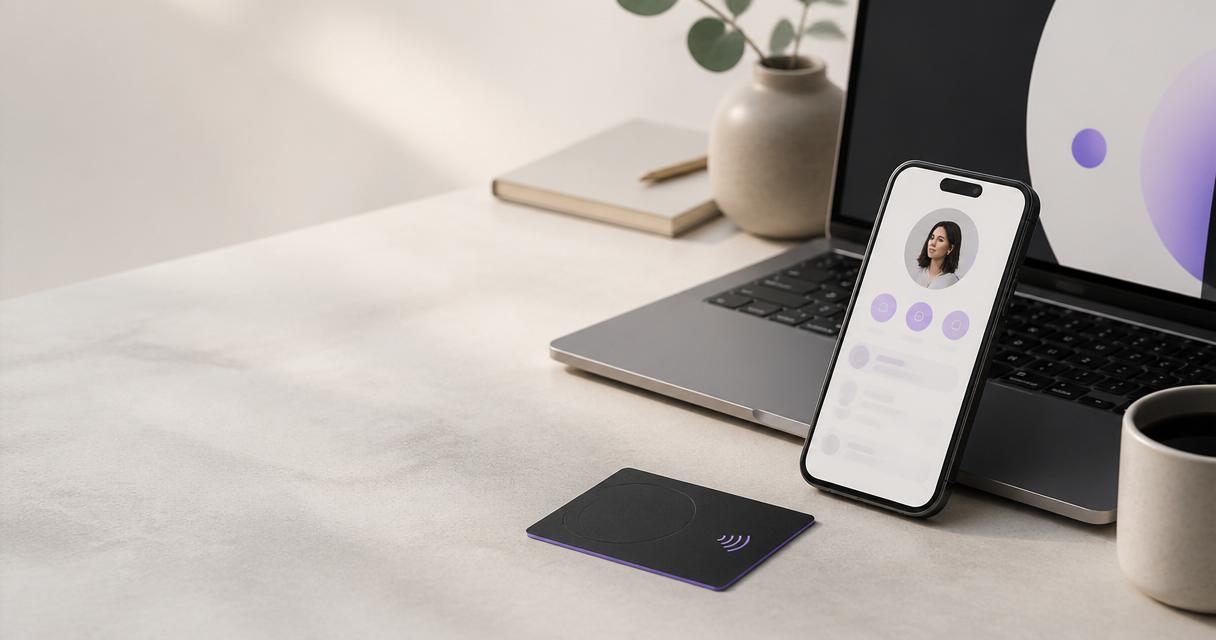
Most rollouts that stall do so for internal reasons. The data was not ready, nobody owned the profiles, or staff were handed cards without being told how to use them. This plan puts the steps in order, with an owner and a finish line for each week. It is one of the stage guides behind our procurement checklist for ordering meishi business cards in bulk, which covers the buying decision in more detail.
The weeks are a planning sequence, not a promise. Design approval and data collection often take longer than expected, and delivery depends on your order and your country.
Before you start
Agree three things before day one:
- A sponsor who can approve the budget and the design.
- An owner who runs the rollout and looks after the profiles afterwards.
- A rough headcount, including known starters in the next few months.
The 30-day plan at a glance
| Week | Tasks | Owner | Done when |
|---|---|---|---|
| 1 (days 1 to 7) | Agree scope and products, sign off the master design, send the quote request | Rollout owner, with the brand owner | Design approved and quote requested |
| 2 (days 8 to 14) | Collect staff data and consent, set profile rules, approve the proof and place the order | Rollout owner, with HR and procurement | Order confirmed and specification recorded |
| 3 (days 15 to 21) | Set up profiles, build the card register, test cards on iPhone and Android | Rollout owner | Every profile complete and tested |
| 4 (days 22 to 30) | Hand out cards, brief staff, run the first review | Team managers, with the rollout owner | Every card issued and briefing delivered |
Each week ends with one clear output. If an output is not ready, move the next week rather than skipping a step.
Roles and responsibilities
A rollout needs a few people, each with one clear job:
- Sponsor. Approves the budget and the master design, and settles disagreements.
- Rollout owner. Runs the plan, sends the quote request, sets up profiles and keeps the register.
- Brand owner. Signs off the design and the proof, and writes the profile rules.
- HR. Confirms the staff list, the starters and the leaver process, and checks consent.
- Procurement or finance. Approves the quote and raises the purchase order.
- IT or information security. Checks what appears on public profiles and who can edit them.
- Team managers. Hand out cards and run the briefing for their team.
In a small company one person may hold several of these jobs. That is fine, as long as each job has a name next to it.
Week 1 (days 1 to 7): scope, owner and design
Define scope
- List everyone in scope by department, office or branch.
- Choose the products: bulk NFC meishi business cards for people, and possibly Google review cards or review stands for customer-facing locations.
- Choose finishes, for example PVC for most staff and metal for leadership.
- Decide the profile plan. The Teams plan is sold per seat with a minimum of five seats.
Agree the design
- Produce one master design and get it signed off by the brand owner.
- Lock the fixed elements and agree the variable ones. Our guide to keeping meishi business cards on-brand across a team or franchise covers this step and the artwork approval flow.
Request a quote
Send the headcount, products, finishes, delivery address and any deadline through a bulk quote request. The whole batch is quoted as one order, with one invoice.
Choose a rollout approach
Before week two, decide how the cards will reach people. The three common approaches compare like this:
| Approach | How it works | Suits | Watch out for |
|---|---|---|---|
| All at once | Every person gets a card in the same week | Single-site teams and small departments | A heavy week for the rollout owner |
| Phased by team | One team or site at a time over several weeks | Multi-site organisations | Keeping the design identical across phases |
| Pilot first | A small group uses the cards before the main order | Large teams unsure about the format | Waiting too long to order the rest |
Most teams under one roof choose all at once. Organisations with several sites often phase by team, and order the full quantity once so every card matches.
Example: a phased rollout across three offices. Assumptions: 45 people in three offices of about 15 each, PVC cards for everyone, one master design, and one order for all 45 cards. Week 1 and week 2 run as in the plan. In week 3 every profile is set up and tested. In week 4 the first office receives its cards and briefing. The other two offices follow on fixed dates over the next fortnight, using the same cards from the same batch. This example shows the sequence only. It is not a delivery estimate.Week 2 (days 8 to 14): data and order
Collect profile data
- Send one shared template to every person in scope: name, title, work email, phone, links and photo.
- Use one format for phone numbers, titles and links so profiles look consistent.
- Ask each person before a photo or mobile number appears on a public profile. Our privacy policy explains how we handle personal information. For the fields to collect, consent and leaver steps, use our data protection checklist for collecting staff details.
Set profile rules
- Decide which fields are required, optional and not allowed.
- Decide who edits profiles after launch.
Place the order
Confirm the quote, approve the proof against the master design, and record the final specification so reorders match.
Week 3 (days 15 to 21): profiles and testing
Set up profiles
Each card links to its own profile, and each profile is edited on its own. The Teams plan (five-seat minimum) adds a centralised team dashboard. Create every profile from the collected data and the agreed rules. If cards are still in production, people can start sharing their profiles by link or QR code straight away. A team digital meishi business card profile does not need the physical card.
Build the card register
Create a simple register with one row per card: holder, role, location, card type, date issued and status. It is the record you will rely on when people join, move or leave.
Test
When cards arrive, test a sample on an iPhone and an Android phone. Tap the NFC chip, scan the QR code and save the contact. Fix any profile errors before the cards go out.
Week 4 (days 22 to 30): hand-out and review
Hand out
- Hand out cards by team, ideally at a team meeting rather than by internal post.
- Match each card to the register as it is handed out.
Brief staff
A ten-minute briefing makes the difference between cards in use and cards in a drawer. Cover:
- How to share: hold the card near the top of the other person's phone, or let them scan the QR code.
- What the recipient sees, and how they save the contact. No app is needed.
- How to update their own profile, if they are allowed to.
- Who to contact when something changes.
A briefing script you can reuse
Managers often ask what to say. A short script keeps every team's briefing the same:
- "This is your card. It opens your own profile with a tap or a scan."
- "Hold it near the top of the other person's phone. If nothing happens, ask them to scan the QR code with the camera."
- "They can save your details straight to their contacts. They do not need an app."
- "Your profile shows your work details. Tell us if anything is wrong."
- "If your title, number or office changes, tell the rollout owner, or update it yourself if you have edit rights."
- "If you leave, hand the card back. We will update the profile."
Run the script with a live demonstration on two phones. People remember what they see.
Review
At the end of the month, cheque:
- Has every person in scope received and tested their card?
- Are all profiles complete and on-brand?
- If you use analytics or lead capture, are taps and leads being recorded as expected?
- Are there known starters who need cards in the next batch?
How to tell if the rollout worked
You do not need a dashboard full of numbers to judge a rollout. Ask four plain questions at the end of the month. Does everyone in scope have a card they have tested? Is every profile complete, correct and on-brand? Do staff know who to tell when their details change? Is there a date for the next reorder of starter cards?
If your plan includes analytics or lead capture, look at whether taps and leads are being recorded for each team. Treat this as a cheque that the cards are in use, not as a target. Then ask a few people from each team what got in the way. Their answers are the best input for the next phase or the next reorder.
After day 30
- Keep the register current as people join, move and leave.
- Group new starters into batches and reorder against the recorded specification.
- Spot-cheque profiles each quarter against the field rules.
- Review the leaver default with HR once a year.
Hand the rollout plan, the register and the specification to whoever owns the cards next. A rollout is finished when someone else could run the next reorder without asking you.
Common mistakes
- Ordering before the data is collected. Cards arrive before anyone can set them up.
- No briefing. Staff go back to paper because they are unsure how tapping works.
- No owner after launch. Profiles go out of date within months.
- Skipping the test. A typo is easier to fix before the cards go out.
- Phasing without a master. Each phase drifts a little further from the approved design.
Frequently asked questions
Does a rollout really take 30 days?
The plan is a guide. Internal steps such as design approval, data collection and the briefing often take longer than expected, and delivery depends on your order. Use the weeks as a sequence rather than a deadline.
Who should own the rollout?
One named person, usually in operations, marketing or HR, who will also look after the profiles after launch.
Can staff use their profiles before the cards arrive?
Yes. Profiles can be shared by link or QR code as soon as they are set up.
Do recipients need an app?
No. Modern iPhone and Android phones read the NFC chip with a tap, and the printed QR code opens the same profile with the camera.
Should we run a pilot first?
A pilot suits large teams that are unsure about the format. Keep it short, and order the main batch to the same specification so every card matches.
How do we add people after the rollout?
Add them to the register, collect their data with the same template, and request extra cards through a bulk quote using the recorded specification.
Next step
Ready to start week one? Request a bulk quote with your headcount, products and delivery address, or compare bulk NFC meishi business card finishes.